
Sometimes, an item in a Shop + Pay offer is unavailable or hard to find. When that happens, the Courier App may show smart substitution recommendations to help you keep shopping. Here’s how it works:
- Mark the item as unavailable: If you can’t find an item, follow the in-app steps to mark it as unavailable.
- Review smart picks: The app may show up to 5 recommended substitutes for that item.
- Choose a substitute: Smart picks may consider the customer’s budget, dietary needs when available, and items shown as in stock, so you can choose with more confidence.
- Pick faster: Some recommendations may prioritize nearby items, helping you find a substitute with less searching.
- Continue the offer: Once the substitute is selected, keep shopping and complete the offer as usual.
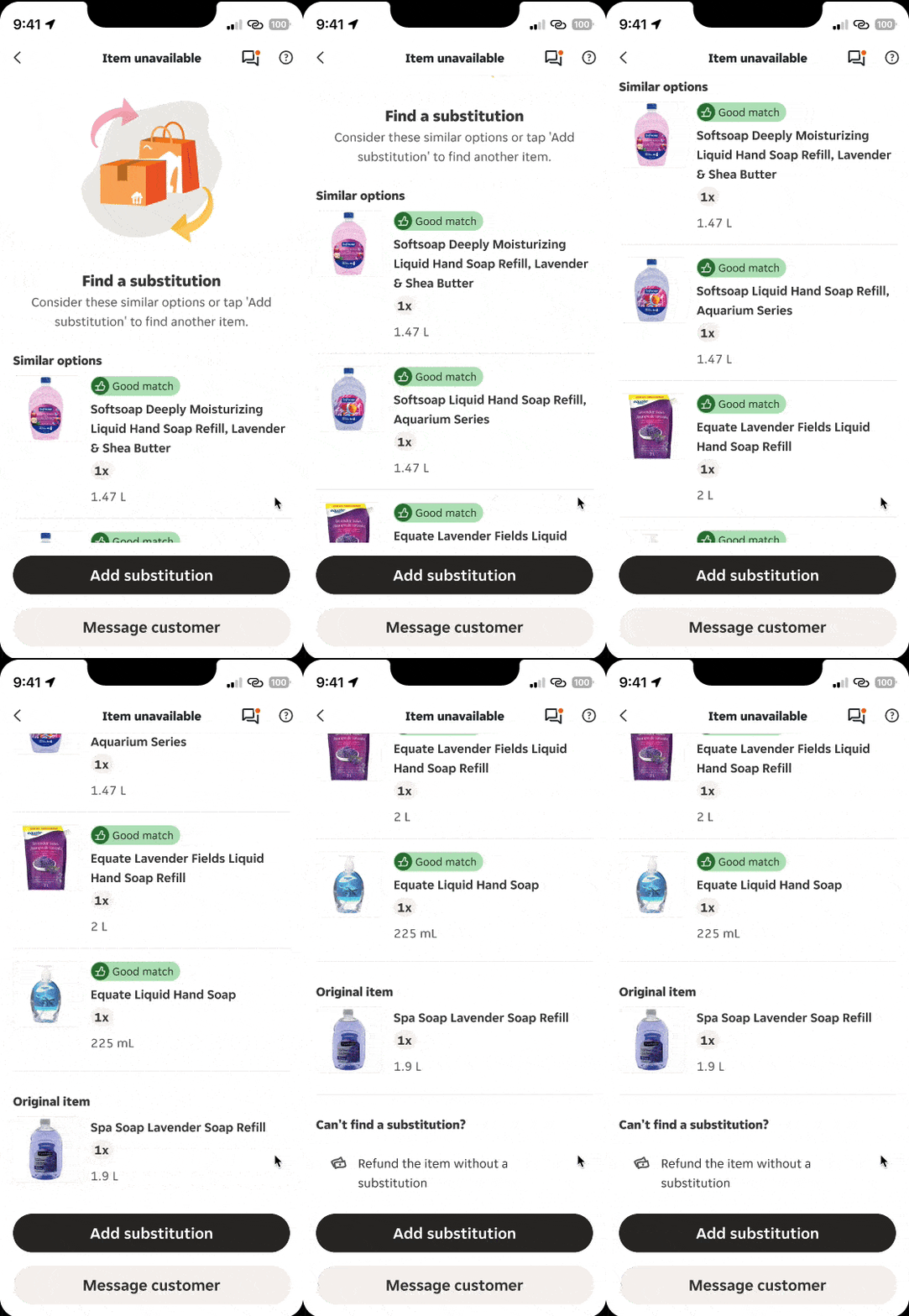
Note: Restricted items, like alcohol or cannabis, won’t appear as recommended substitutes for regular items.
